Gladio Mori Multiplayer & Cross-Play Guide
Host four-player lobbies across Steam, PS5, and Xbox—online or local split-screen.
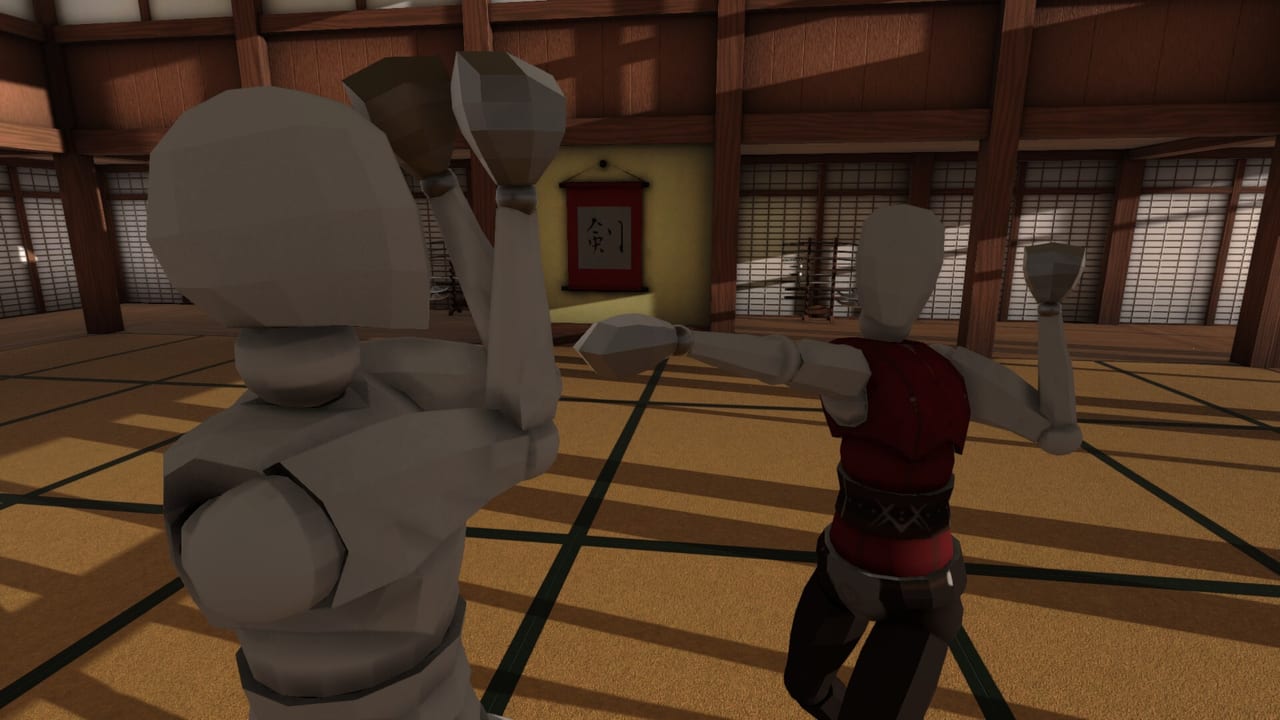
Gladio Mori’s multiplayer is built for brutal, readable physics duels with friends and rivals. 1.0 supports up to four players in online matches with cross-play between Steam, PlayStation 5, and Xbox Series X|S, plus local split-screen (with AI bot fill available). Launch patch v1.0.1.3 layered on Tournament hosting, richer AI settings, equipment presets, spectator camera behavior in local play, and lobby UI polish—details summarized on the patch notes page.
This guide explains modes, hosting habits, and how to not waste everyone’s evening on bind or mod mismatches. Brush up on Getting Started and the damage system before you treat Creative as a lifestyle.
Modes at a glance
Multiplayer PvP is endless last-person-standing style fighting in hostable lobbies. Core rule sets:
Classic
Basic movesets only with default movement. This is the fairest classroom for newcomers and the best place to judge pure mechanics. If someone insists they are “bad at Gladio” after only Limitless chaos, put them in Classic for an hour.
Creative
Freedom to explore custom movesets with no restrictions on custom animations. This is the showcase mode for move editor work and gallery remixes. Expect wild timings. Organ rules still apply—style does not grant bonus arteries.
Limitless
Same creative freedom as Creative, but character strength is boosted. Hits and physics interactions can feel exaggerated. Great for party chaos and stress-testing whether your custom move becomes a self-own under power. Less great as your only learning environment.
Tournament mode (v1.0.1.3)
Hosts can enable a Tournament checkbox so the lobby plays to a host-set number of round wins before crowning a champion. It is available for all multiplayer and local lobbies. Practical habits:
- Announce the win target in the lobby name or voice chat (first to 3, first to 5, etc.)
- Keep mode stable for the whole series—do not flip Classic to Limitless mid-bracket
- Use equipment presets between rounds so loadout swaps do not stall the set
- Budget one replay scrub after a disputed exchange, then continue
- Save experimental movesets for a declared showcase block after the tournament ends
Tournament energy fixes freeplay rot without needing an external bracket tool. Pair it with combat tips when the lobby is full of polearms.
AI fill and AI settings
Local and sparse lobbies can use AI bot fill so you still reach four fighters. Launch notes add clearer AI settings in multiplayer, allow AI to target other AI, tweak hold-distance variation to discourage bot stalemates, and adjust AI attack distances per weapon. Implications:
- Bots are helpers and warm-up partners—not perfect stand-ins for human creativity
- Re-check AI distance habits after patches; do not overfit exclusively to bot patterns
- When hosting mixed human/AI nights, say so up front so nobody expects pure PvP pressure
Campaign remains the better classroom for learning organs; AI fill shines for couch completeness and private drills before cross-play.
Equipment presets
Equipment presets (called out in v1.0.1.3) let you store kits and swap quickly between rounds. Suggested preset slots:
- Stock Classic learner kit
- Anti-reach / short-weapon pocket kit
- Open-arena polearm kit
- Creative showcase kit (custom moveset + skin)
Presets keep Tournament series moving and stop friends from rebuilding armor piece-by-piece while the lobby idles.
Cross-play realities
Cross-play means a Steam player, a PS5 player, and an Xbox player can share a four-person lobby. Practical tips:
- Agree on Classic vs Creative before invites fly
- Confirm moveset and mod versions if anything custom is enabled
- Prefer hosts with stable connections; ping tools and updated lobby list UI help cross-play sessions
- Keep voice chat (Discord or platform) ready—physics trash talk is half the sport
If a client fails to join due to mod version conflicts, the host gets informed. Fix versions; do not spam rejoin. See Mods.
Hosting checklist
- Name the lobby clearly (mode + rules + “stock only” if needed)
- Set Classic / Creative / Limitless intentionally
- Toggle Tournament and set round wins if you want a series
- Verify AI fill/settings for local or sparse lobbies
- Remind players to finish controls rebinds before round one
- Ban mystery mod stacks until everyone opts in
- Point newcomers at presets so kit swaps stay fast
Local split-screen and spectator camera
Local play supports up to four on the couch with AI fill when you lack bodies. Controllers are the sane default. Per launch notes, spectator camera activates in local play if the player dies but the round is not over—useful for learning, disorienting if you did not expect it. Know how to return to fighting next round, and graduate disputed moments to full timeline scrubbing in the replays guide.
Living-room rules that save friendships:
- Same mode for the whole night unless everyone votes to switch
- No silent enabling of Limitless mid-set
- Share replay scrubbing after disputed trades instead of arguing from memory
- Keep Tournament win targets honest—no sudden “first to 20” griefing
Combat priorities in lobbies
Online pressure makes players forget anatomy. Keep the hierarchy:
- Coverage and spacing first
- Muscle disable when kills are unavailable
- Bleed clocks when arteries open
- Vitals and dismemberment as conversions, not opening gambits every round
Creative players will present bizarre angles. Your answer is still the organ map, not panic spinning. Review the damage guide if lobby nights degrade into coin flips, and practice gap closes from combat tips before you blame matchmaking.
Social and competitive etiquette
- Warm up in Campaign or a bot fill before hopping into a hot Creative lobby
- Declare experimental movesets so opponents can consent to chaos
- After a sick clip, offer a rematch before hopping—Gladio’s replay tools exist to show the cut, not only to flex
- Report tools exist in menus; do not derail fights hunting buttons mid-round
Find organized nights via the official Discord.
Bridging modes with the rest of the wiki
- Learn stock strength opinions on the tier list hub, then verify in Classic
- Author responsibly with the move editor before Creative tournaments
- Drill fundamentals in Campaign on Normal/Hard between lobby nights
- Paint readable identities with skins so callouts stay easy in four-player chaos
- Keep the Guides Hub bookmarked when new players join your Discord server
Common lobby failure modes
- Starting in Limitless with players who never cleared Normal Campaign
- Mixed mod versions causing join failures
- Unspoken custom moveset expectations in a “casual” Classic invite
- Hosting without rebinding, then blaming the game for misinputs
- Ignoring bleed status because the round “felt even”
- Forgetting spectator cam will kick in after a local death mid-round
Session plan for a four-player night
- Fifteen minutes Classic warm-up, stock sets (AI fill if short a human)
- Optional Creative showcase rounds with declared sets
- Tournament checkbox best-of series with presets ready
- One Limitless party set if energy remains
- Replay review of the single most confusing kill
Multiplayer is where Gladio Mori’s physics, cross-play promise, and creative tools meet. Host intentionally, fight anatomically, and save Limitless for when everyone opted into madness.
Frequently Asked Questions
Quick answers to the most common Gladio Mori questions.
Does Gladio Mori have cross-play?
Yes. Steam, PlayStation 5, and Xbox Series X|S can play together in online lobbies with up to four players.
What is Tournament mode?
A lobby checkbox that plays to a host-set number of round wins to crown a champion. It works for online and local lobbies.
What is the difference between Creative and Limitless?
Both allow unrestricted custom animations; Limitless also boosts character strength for more exaggerated physics.
Can I play locally on the couch?
Yes. Local split-screen supports up to four players and can use AI bot fill when you need extra fighters. Spectator camera can activate after a local death mid-round.
Why can’t my friend join my modded lobby?
Mod version conflicts can block joins and notify the host. Align enabled mods and versions, then rejoin.
Which mode should beginners use?
Classic, after some Campaign practice. Move to Creative once stock spacing and organ damage feel readable.